
Hope you all are having an awesome week!
Noah and I been listening closely (hopefully as always), and we heard you loud and clear: signals are awesome, but sometimes they need a little more context to be truly useful.
So, we rolled up our sleeves and built the biggest data-quality upgrade we’ve ever worked on…
Signals just got smarter. With Signal Context, you can give BirdDog the why behind what matters to you.
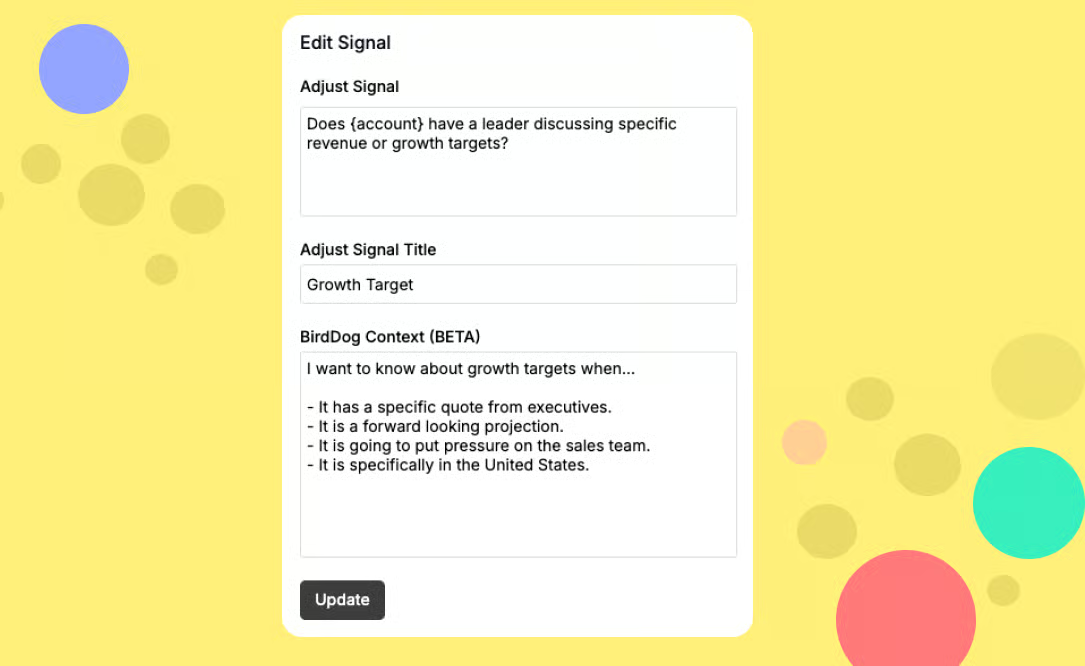
Signals Page → Edit Signal → BirdDog Context
Now you can tell BirdDog exactly what to look for and why. Add details, examples, even narratives. The more you feed it, the sharper it gets at surfacing the signals that matter most to you. A few users have already tested this early and it made their signals exactly how they wanted.
You’ll find a quick video walkthrough below.

2 Minutes
www.loom.com/share/7b23b279b81f477488b4c41a3db91af4?sid=4642017a-1202-4a79-afd0-0e3fa261a8d0
You also told us: “Where are my new signals?”

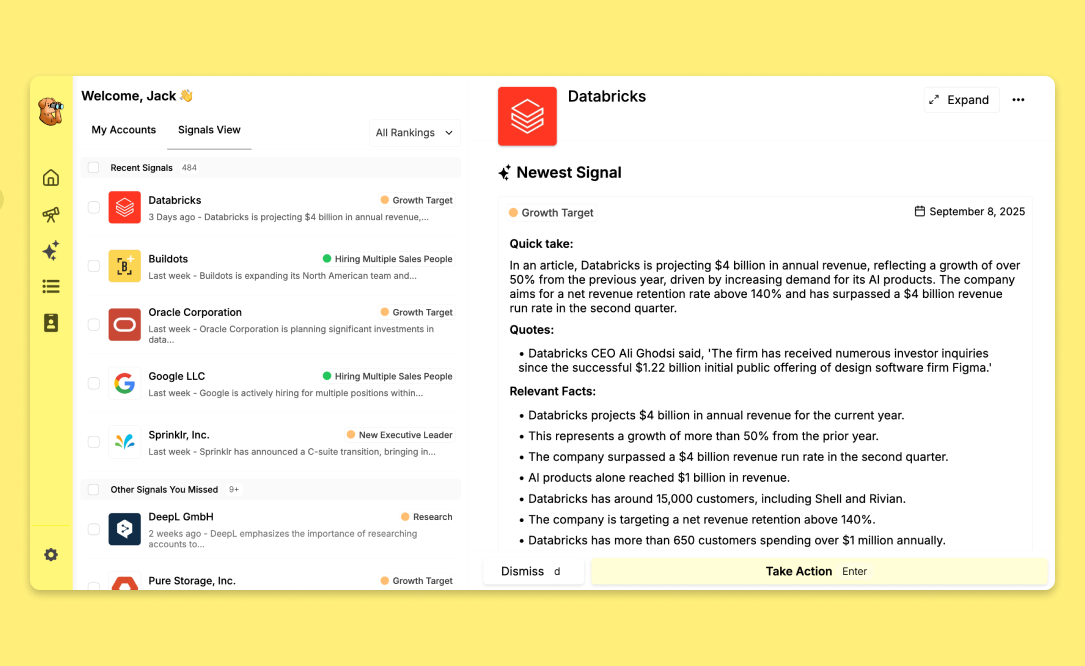
“Signals View” shows all the most recent signals.
Before, that meant fiddling with filters and sorts. But now? Just head to the homepage, tap Signals View, and boom…every signal, in order, ready for you.
Batch your outreach however you like (daily, weekly, or when the coffee kicks in ☕). Work through signals one by one, dismiss the ones you’re done with, and keep that list clean and fresh.
With keyboard shortcuts
Here’s the quick walkthrough video:
1 Minute
www.loom.com/share/91be425af63140b297c9be63ea924cc6?sid=692e22e0-8ea6-4827-9e76-bfd24e21f4b9
This one’s big. In the next couple of weeks, BirdDog will level up into a master researcher for your team.
Super Intelligence will:
That means BirdDog won’t just show you signals. It’ll be fully embedded into your workflow no-extra logins.
Stay tuned, this is going to change the game.



.png)
.png)


